DHA DataFlow Verification Guide 2026: Statuses, Timelines & FAQs

Jul 23 / ExamCure Medical Team

Key Takeaways

  • DataFlow status updates tell you exactly when to act and when to wait

  • Timelines vary widely due to institution response times and document quality, so prevention matters more than prediction

  • Clear, professional responses to queries plus complete evidence reduce the risk of delays and negative outcomes

You submitted your DataFlow and now the waiting begins

You refresh your portal and see a new status update, but it is not clear whether you need to upload something or just wait. This is the stressful part because the wording often looks urgent even when it is normal progress.

Many applicants need more than one follow-up because third parties reply on their own timelines, not yours. By the end of this section, you will know exactly what to do when the status changes, what to ignore, and when to escalate.

Next, assume most time is spent outside your control: medical council checks, university responses, employer verification, and mailroom delays. DataFlow can only move as fast as those replies arrive, so "no news" can still be the process working.

If you do one thing, keep your contact details and document access ready so you can respond within 24 to 48 hours if they request clarification. A common mistake is waiting a week to notice a message, then losing another week because the verifier has to restart outreach.

That said, you can still manage the waiting with a simple weekly routine that prevents last-minute surprises:

  • Check your portal status 2 times per week on set days

  • Scan your email inbox and spam folder for messages from verification teams

  • Keep a single folder with your passport, license, degree, internship certificate, and recent experience letters ready to resend

  • Track dates in a note: submission date, last status change, and any messages sent

  • If you are short on time, skip daily checking and only do the twice-weekly scan plus inbox check

This approach works best when your documents are readable and your third parties are responsive. It can fail when an employer has changed HR contacts or a university uses slow manual confirmation, so be ready to provide alternate contact details if asked.

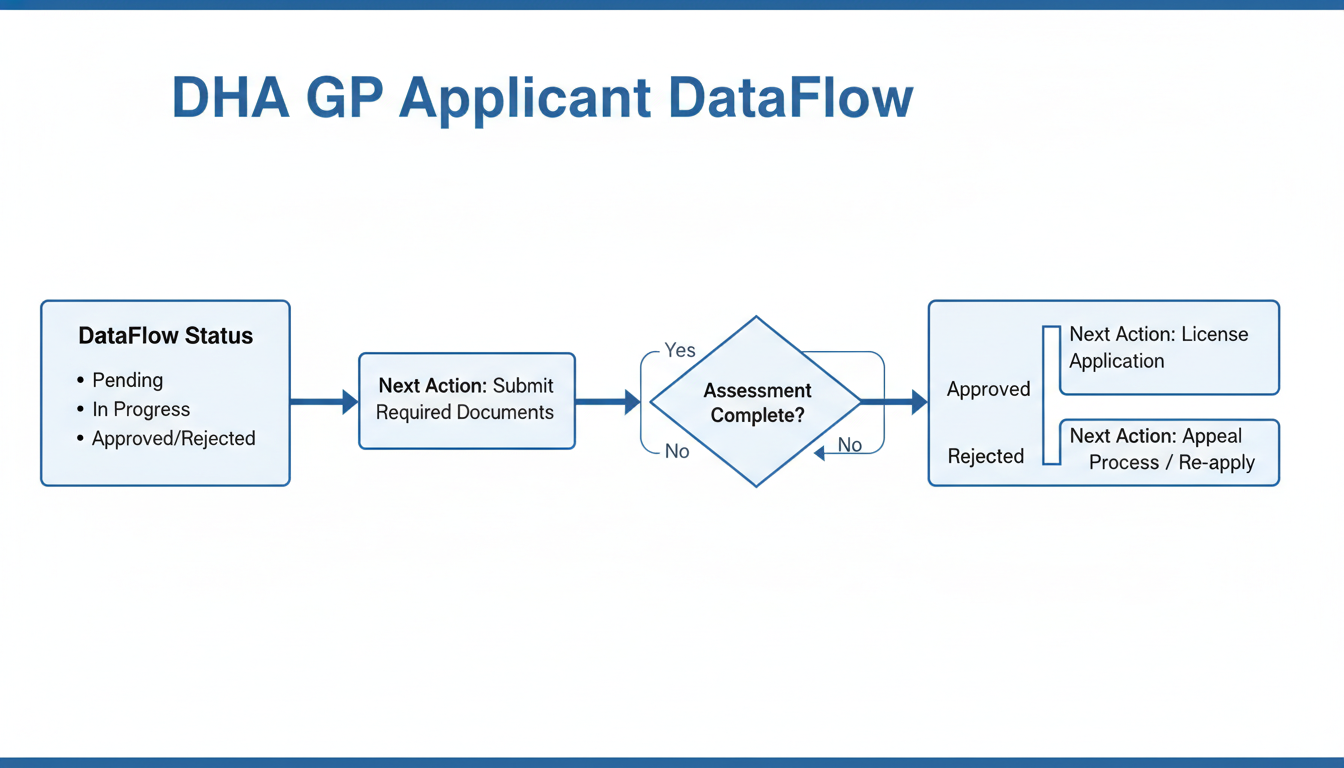
Decode every DataFlow status and know your next action

Important: DataFlow status labels and wording may vary depending on the healthcare regulator, verification package, document type, and current platform workflow. The explanations below are intended as general guidance. Always follow the instructions shown in your own DataFlow case and official notifications.

Next, treat the status line as a task list, not a mystery. Each status has an official meaning inside DataFlow, but for a DHA GP applicant the practical question is always Drthe same: do you need to upload something, reply to a query, or simply monitor.

A simple rule helps you avoid delays and duplicate uploads: if the status shows that another party must respond (university, employer, regulator), your job is preparation and tracking. If the status says you must respond (missing info, unclear scan), act fast but keep your details consistent with what you already submitted.

Submitted

Also, Submitted means DataFlow has your application package and payment, but verification has not necessarily started with institutions yet. Right after submission, double-check that every uploaded file opens correctly, is readable at 100% zoom, and matches the document type you selected (for example, passport under identity, license under registration).


Practical next step: confirm contact details for your university and each employer before verification begins. If you know the wrong HR email was used or a university verification office changed its address, raise it early through the proper channel rather than waiting until later in the process to discover no one was reached.

Documents received

Next, Documents received means DataFlow has accepted your uploads into the case file. It does not guarantee that every page is usable for verification. If a document appears missing, first check whether you uploaded it under the wrong category (a common mistake with experience letters vs employment certificates).

Action trigger: re-upload only when the scan quality is clearly a problem or a key page is missing. Re-upload higher-quality scans when:

  • Text or stamps blur when zoomed in

  • A QR code or license number is not readable

  • Multi-page PDFs are cut off or rotated

If the document is present and readable, wait and monitor rather than uploading duplicates that can confuse the file set.

Under verification

That said, Under verification means DataFlow is contacting the issuing sources and logging responses. Silence can be normal here because the longest step is often waiting for third parties to reply, especially if a university routes requests through a central registrar.


Practical advice: maintain a simple tracking sheet and update it regularly. Include:


  • Institution name and country


  • Contact point you expect to respond (registrar, HR, medical council)


  • Date you believe outreach started


  • Notes on any follow-ups you have made (include the channel used and what was confirmed)


If you do one thing in this stage, do this: keep your phone and email consistent and monitored, because clarification requests can arrive and delays in replying can slow the case.


How Long Does DHA DataFlow Verification Take?


DataFlow states that verification typically takes around 15 to 25 working days after payment has been received and all required documents have been successfully submitted. However, this is an estimate rather than a guaranteed completion time.


Verification may take longer if:


  • Documents are incomplete or unclear


  • Additional information is requested


  • Universities, employers, or licensing authorities respond slowly


  • Public holidays or local administrative delays affect communication


  • There are discrepancies in names, dates, or qualifications


The most reliable source of progress is the status displayed in your own DataFlow case.

Additional information required

Here's the catch: Additional information required means the verifier cannot complete a check with what is currently in the file. This is the stage where rushed responses create contradictions, such as submitting a new experience letter with dates that do not match the initial CV or application form.

Action trigger: respond quickly, but respond cleanly. Use this response quality checklist before you upload:

  • Dates match across CV, offer letters, experience letters, and any prior uploads

  • Name format is consistent (including middle names) across documents

  • The requested item is clearly labeled and directly answers the question

  • One document per file, not multiple unrelated documents combined

  • File naming is specific (example: EmployerName_ExperienceLetter_2019-2023.pdf)

If you are short on time, do not rewrite your whole set. Upload only what was requested, and add a short note that points the reviewer to the exact page and line.

Verification completed

In practice, Verification completed means responses have been received and DataFlow has finished checking the sources. Your next job is accuracy checking inside the report, not celebrating the status change.

What to verify in the report before you rely on it:

  • Correct spelling of your name and passport number

  • Qualification titles, awarding institution, and graduation date

  • Employment start and end dates and role title for each employer

  • Registration or license number and validity dates

Practical advice: save a versioned copy (for example, DataFlowReport_v1.pdf) and record the report reference details in your tracking sheet so you can match the correct report later if you submit to multiple bodies.

Report issued

So, Report issued means the final report is available for use in the next DHA steps and may be referenced in related licensing processes. It still does not guarantee acceptance by a regulator if their current document rules differ from what you assumed when you started.

Action trigger: confirm the current DHA policy before relying on prior reports, especially if your verification started months earlier. A common mistake is treating an older report as a permanent pass while requirements around experience format or registration coverage have changed.

Summary table of DataFlow status and what to do next

Next, use this quick decision guide to choose between upload, reply, or monitor.


  • Submitted


    • Definition: Application package sent to DataFlow


    • Who must act: You


    • Typical causes: Initial upload complete, payment done


    • Best next step: Re-check file readability and confirm university and employer contact details


  • Documents received


    • Definition: Uploads accepted into the case file


    • Who must act: Usually you only if something is missing or unreadable


    • Typical causes: Documents categorized and stored


    • Best next step: Re-upload only if scans are illegible or the wrong document type was attached


  • Under verification


    • Definition: DataFlow is contacting sources and waiting for responses


    • Who must act: Third parties, while you monitor


    • Typical causes: Outreach to universities, employers, regulators


    • Best next step: Track who was contacted and keep your contact details monitored; avoid duplicate uploads unless requested


  • Additional information required


    • Definition: A specific gap is blocking verification


    • Who must act: You


    • Typical causes: Missing page, unclear stamp, inconsistent dates, unclear employment proof


    • Best next step: Reply with one clean, consistent upload and clear file naming


  • Verification completed


    • Definition: Checks finished, outcomes recorded


    • Who must act: You to validate accuracy


    • Typical causes: Responses received and reviewed


    • Best next step: Review report details line-by-line and store a versioned copy


  • Report issued


    • Definition: Final report available for downstream use


    • Who must act: You to apply it correctly


    • Typical causes: Report generated and released


    • Best next step: Confirm current DHA requirements before submitting the report in a new step


How long does it take? DataFlow states that verification typically takes around 15 to 25 working days after payment has been received and all required documents have been successfully submitted. This is an estimate, not a guaranteed completion time. The most reliable source of progress is the status displayed in your own DataFlow case.


Caution: requirements and document formats can change. Always verify the latest DHA and DataFlow guidance before you act on a status or re-upload documents.


Manage timelines and prevent delays before they happen

So, instead of guessing when your verification will finish, plan for variation and reduce the reasons your file gets pushed back.

Processing time can change even when your documents are strong. A realistic way to plan is to treat your timeline as a range, not a single date, and avoid booking fixed commitments until you have the milestone you actually need (for example, employer verification completed or final report issued).

Why timelines vary

Also, parts of PSV depend on how fast other people reply. Issuing institutions can take days or weeks to confirm, employer verification can sit in an HR queue, and international holidays or time zone gaps can slow email and phone responses.

Here’s the catch: some delays are not “waiting”, they are resets. Missing pages, unclear stamps, wrong contact details, or a mismatch in names can trigger rework and restart specific checks, which can add extra weeks compared with a clean first submission.

Common causes of delays and practical fixes

Next, focus on the few issues that most often cause avoidable rework. If you do one thing, do this: make verification easy for the university or employer by giving them a clear, correct contact path and readable documents.

Common delays and fixes you can apply:

  • Universities not responding: email the registrar or verification unit first, then try an alternate official contact (alumni office, department admin), then request escalation through a supervisor or central switchboard

  • Employers delaying replies: prepare an HR verification letter template, include a current supervisor contact, and prefer official company email domains over personal addresses

  • Incorrect contact info: verify email domain spelling, international phone format, department name, and the contact’s title before you submit

  • Poor scans and unreadable stamps: re-scan in clear color, ensure stamps and signatures are sharp, keep files upright, and avoid heavy compression

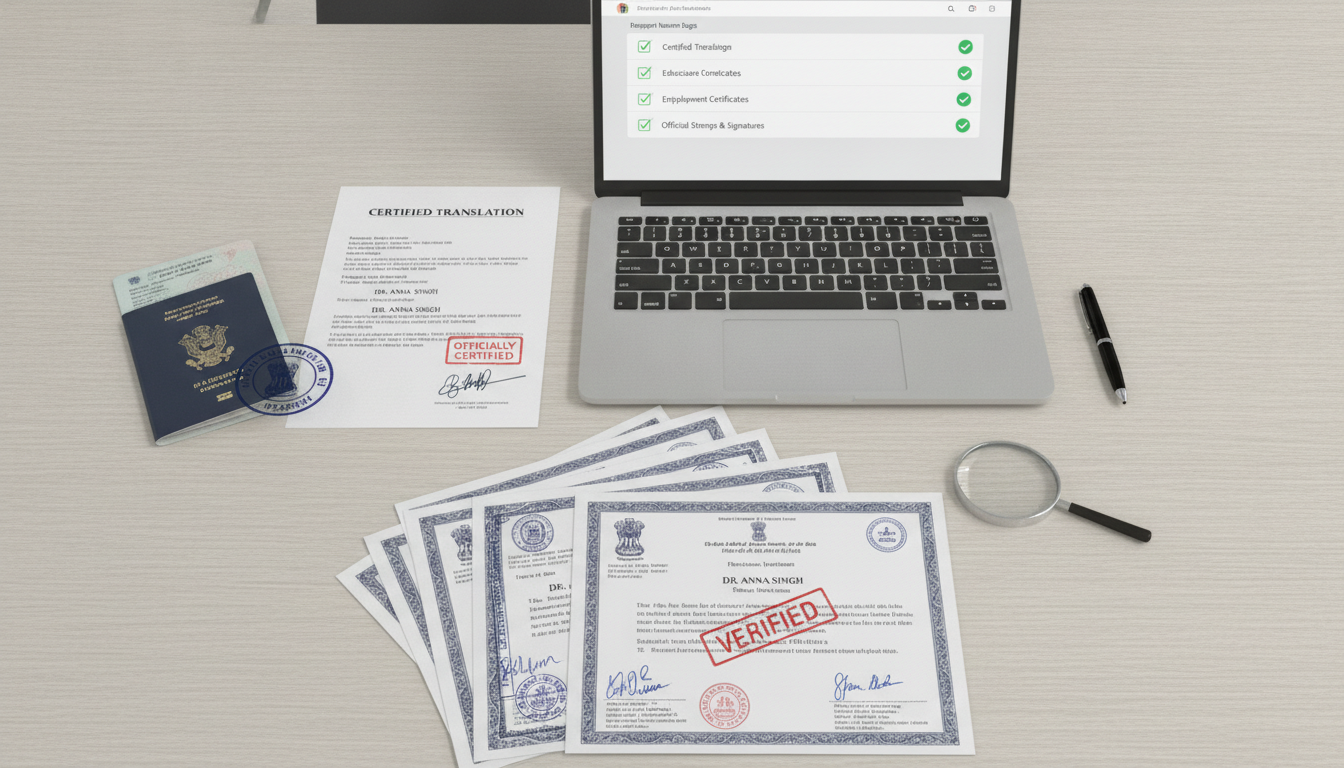
  • Translation issues: use certified translations and keep names spelled the same way across original and translated versions

  • Name mismatches: map everything to the passport name (same order and spelling), and if needed include a general affidavit or supporting letter that explains the variation

  • Missing signatures or incomplete certificates: request re-issuance from the institution and attach an official letter confirming the correction

  • Incorrect application entries: correct the entry through the proper edit route and make sure the corrected detail matches the supporting document, without submitting conflicting evidence

Troubleshooting tips you can apply today

In practice, a professional follow-up cadence prevents your request from getting buried and gives you a clean paper trail if you need escalation later.

Use this simple follow-up cadence (adjust to weekends and time zones):

  1. Day 0: Send the request with your reference number, document type, and the exact confirmation needed

  2. Day 2 to 3: Follow up with the same subject line, add the alternate contact in CC, and ask for expected turnaround time

  3. Day 5 to 7: Call the main office number, note who you spoke to, and resend to the correct inbox they confirm

  4. Weekly: Keep one concise update email until you get confirmation or a clear refusal

Also, reduce rework with two quick checklists.

Pre-submission checklist:

  • Passport name matches across degree, license, experience letters, and translations

  • Issuing institution and employer contacts are current and official

  • Scans are readable in color, stamps and signatures are clear, and all pages are included

  • Dates, job titles, and licensing numbers match across documents and application entries

Post-submission checklist:

  • Save a folder with sent emails, call notes, and reference numbers

  • Monitor statuses on a fixed schedule (for example, twice per week), not hourly

  • If a discrepancy is flagged, correct one source of truth first (document or application), then update the other to match

Handle unverifiable or negative outcomes and finish with confidence

But even a well-prepared application can hit a roadblock when a document cannot be verified or a discrepancy is flagged.

Your goal in these moments is simple: respond with clear evidence, keep communication professional, and follow the most current DHA guidance before you take the next licensing step. Treat every query like a mini-audit where consistency matters more than long explanations.

If a document cannot be verified

So if you see an “unable to verify” style message, it usually points to practical issues rather than a judgement of your competence. Common reasons include an institution not responding within the provider’s process, mismatched identifiers (name, date of birth, student number), unclear scans, or missing pages like the back of a license.

You may be asked for additional evidence such as an alternate contact method for the institution, a more recent license printout, an updated good standing certificate, or a clearer, re-certified copy. If you do one thing, make sure the new evidence matches your original submission on spelling, dates, and document numbers.

Negative verification outcomes and general implications

That said, there are a few outcomes worth understanding so you do not panic or guess what they mean:

  • Unable to verify

  • Discrepancies identified

  • Missing information

  • Incomplete documentation

A common mistake is writing long explanations that include assumptions about what happened at the institution. Instead, stay factual: state what you are providing, why it matches the request, and what the institution confirms. If something truly differs (for example, a surname change), include only the specific supporting document that links the two identities rather than extra background.

Responding to DataFlow queries without delays

Next, speed matters because many delays come from slow back-and-forth, not the verification work itself. Set a routine to check both your email and the portal every 24 to 48 hours during active processing, and respond as soon as you can with complete evidence.

When you contact an institution, keep the request short and specific. For example, ask them to confirm your credential details (award name, award date, registration number) and to respond through the channel named in the query, using a professional tone and a clear subject line that includes your full name and reference number.

For uploads, apply simple version control so you do not accidentally submit an outdated file:

  • File naming: DocumentType_FullName_IssueDate_V1

  • Replace only when asked, and label the update as V2 or V3

  • Keep a submission log with date sent, what changed, and where it was uploaded

Here’s the catch: version control works best when you stick to one “source folder” and never rename files after you upload them, but it fails when multiple people (agent, colleague, family) edit the same documents without tracking changes.

Checklist for responding to an additional information request

In practice, use this quick checklist to reduce rework and repeat queries:

  • Confirm exactly what is requested and by which deadline if one is shown

  • Map each request to one piece of evidence, not a bundle of unrelated files

  • Check name spelling and date formats match across passport, license, and certificates

  • Re-scan at a readable resolution if stamps, signatures, or license numbers are faint

  • Re-certify only if your earlier copy is unclear or if a certified copy is explicitly requested

  • Add a short contextual letter only when it directly explains a mismatch (for example, name change or identical twins with similar details)

If you’re short on time, skip rewriting your entire history and focus on the fastest verifiable proof: a clean re-scan plus an institution confirmation that repeats the exact data points shown on the document.

DataFlow report validity and reuse considerations

Also, it helps to understand what the report is for: it is generally used to support licensing workflows by confirming primary source details such as education, registration, and licensure history. People often try to reuse the same report across steps, but whether that works depends on the current rules and what the next authority or stage requires.

Situations where an update may be needed can include expired or renewed licenses, newly issued good standing documents, a long gap since the original verification, or changed personal details. Because requirements can change, treat your report as time-sensitive evidence and check current DHA policies before relying on an older verification for a new application step.

Closing remarks

So, if your DataFlow status still feels like a black box, focus on the one thing you can control: your next action. "Actions beat anxiety when the process is opaque."


Next, ask yourself one practical question and commit to a 24-hour step: what is your most time-sensitive verification dependency right now, your university, your employer, or document quality.


  • If it is your university: Notify your university that an official verification request may be received from DataFlow. Ensure that the institution's contact details are current and that the appropriate department is aware of the request. If DataFlow asks you for additional information, respond promptly through the official case portal rather than using unofficial communication channels.


  • If it is your employer: Notify your employer (HR or the licensing/credentialing department) that an official verification request may be received from DataFlow. Ensure that the institution's contact details are current and that the appropriate department is aware of the request. If DataFlow asks you for additional information, respond promptly through the official case portal rather than using unofficial communication channels.


  • If it is document quality: Re-scan in color, check that names and dates match across documents, and re-upload only the corrected file set.


That said, if you do one thing first, choose the dependency with the highest chance of non-response, usually employers and older universities. If you're short on time, skip rewriting your whole file set and only fix what blocks verification, unclear stamps, mismatched names, or missing pages.

Understanding DataFlow Report Outcomes

";
Use the outcome on your DHA DataFlow report to decide your next step. These results describe what DataFlow could confirm, not the final DHA licensure decision.
;

Common outcomes and next steps

";
  • Verified: The issuing institution confirmed the relevant information. Next: Continue with the DHA application instructions.

  • Unable to Verify: DataFlow could not obtain enough confirmation from the original source. Next: Review the report and follow the official clarification or appeal pathway.

  • Discrepancy: Information received from the source differs from what was submitted. Next: Review the discrepancy carefully and provide evidence through the official process if the finding is incorrect.

;

Important note about DHA approval

";
A DataFlow result does not by itself determine whether DHA will approve registration or licensure. DHA reviews the verification report as one part of the overall professional assessment.
;

Official Sources

";
For the most accurate requirements, timelines, and status meanings, confirm details directly with DHA and DataFlow’s official pages before you act on your verification or licensure plan.
;

Official DataFlow resources

";
Primary Source Verification (DataFlow): https://www.dataflowgroup.com/
;

DHA Sheryan

";
DHA Sheryan portal: https://sheryan.dha.gov.ae/
;

Official DHA licensing information

";
DHA licensing and professional registration: https://www.dha.gov.ae/en/Services/Pages/Professional-Licensing.aspx
;

Frequently asked questions about DHA DataFlow for doctors in Dubai

What is DataFlow for DHA licensing in Dubai?

DataFlow is used for Primary Source Verification (PSV), meaning key documents are checked with the original issuing sources. For DHA licensing, it commonly covers education and may include registration and employment items based on current requirements.

Is DHA DataFlow mandatory for doctors in Dubai?

DataFlow is commonly required as part of the DHA licensing pathway, but requirements can change by role and timeframe. Confirm the current DHA requirements through official DHA channels before you submit or pay for any verification.

Can I take the DHA exam before DataFlow?

Sometimes the exam and PSV steps can run in a specific order depending on your pathway and eligibility status. Verify the latest DHA rules for your category before booking the exam to avoid paying for a step you cannot use yet.

How long does DHA DataFlow verification usually take?

Timeframes vary based on how fast institutions respond, whether documents are complete, and if translations need review. Delays are more likely when sources are hard to reach or when documents are unclear or inconsistent.

What if my university no longer exists for DataFlow verification?

Gather alternative proof such as archived transcripts, government education authority confirmation, or a successor institution letter. Keep evidence of the closure such as an official notice or registry entry, and submit a short written explanation to match your documents.

What if my employer does not respond to DataFlow?

Start by notifying HR and your direct supervisor and ask for a single point of contact for verification queries. If there is no response, supplementary evidence may help clarify an employment, qualification, or licensing record, but it does not automatically replace confirmation from the original issuing authority. Submit additional evidence only through the official DataFlow case or support process and only when it is relevant to the specific request.

Can I correct mistakes after submitting my DataFlow application?

Corrections may be possible, but handle them carefully to avoid mismatched versions of the same document. Use the official correction route, keep one clear document set, and avoid submitting duplicated or conflicting records.

Does DataFlow verify work experience for DHA?

Experience verification is often part of PSV, but the exact scope depends on the current DHA requirements for your license category. Check what DHA lists for your role so you only submit experience items that match the requirement list.

Does DataFlow verify internship for doctors?

Internship may be included when it is required to show clinical training or to meet eligibility rules. Prepare an internship certificate, clear dates, department rotations if available, and the hospital’s official contact details for verification.

Can I reuse a previous DataFlow report for DHA?

A prior report may not be accepted if it is tied to a different authority, scope, or time window. Confirm with DHA whether they accept reuse for your category and whether you must order a new report or add a new licensing authority.

What happens if my DataFlow verification result is negative?

A negative outcome usually means one or more items could not be confirmed as submitted. Follow the official recheck or appeal instructions, correct the root issue with the source, and avoid changing unrelated documents that could create new mismatches.

Which documents commonly cause DataFlow delays for doctors?

Common delay sources include employer letters that lack required details, translations that are incomplete, and scans with unreadable stamps or signatures. Check document clarity and completeness before submission to reduce back-and-forth.

What does “additional information required” mean in DataFlow status?

It means the verifier needs more evidence or clearer documentation before they can complete PSV. Respond quickly with consistent supporting files, and make sure the new evidence matches your original entry details like names, dates, and document numbers.

How do I track my DHA DataFlow status?

Track status in your DataFlow account and in any linked DHA portal steps, if applicable to your pathway. Check at a reasonable cadence, and keep a simple log of dates, requests, and documents you uploaded.

Who should I contact for support with DHA DataFlow?

Use official DHA support channels for licensing pathway questions and DataFlow support channels for verification process issues. For prep support, ExamCure resources can help you plan timelines, document readiness, and exam study steps around your PSV progress.

Can name differences between passport and degree cause DataFlow issues?

Yes, mismatched names can trigger verification questions because sources may not match your identity records. Use consistent spelling across submissions and add supporting documents such as a legal name change document or an affidavit when applicable.

What scan quality is acceptable for DHA document verification?

Upload clear, full-page, color scans where text, stamps, and signatures are readable, with no cropped edges or glare. If a detail cannot be read when zoomed in, rescan before submission to avoid requests for re-uploads.